Turn queue software for walk-in nail salons
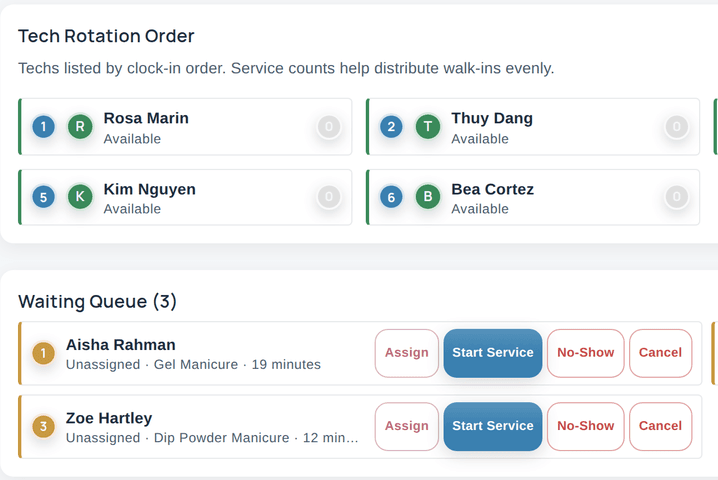
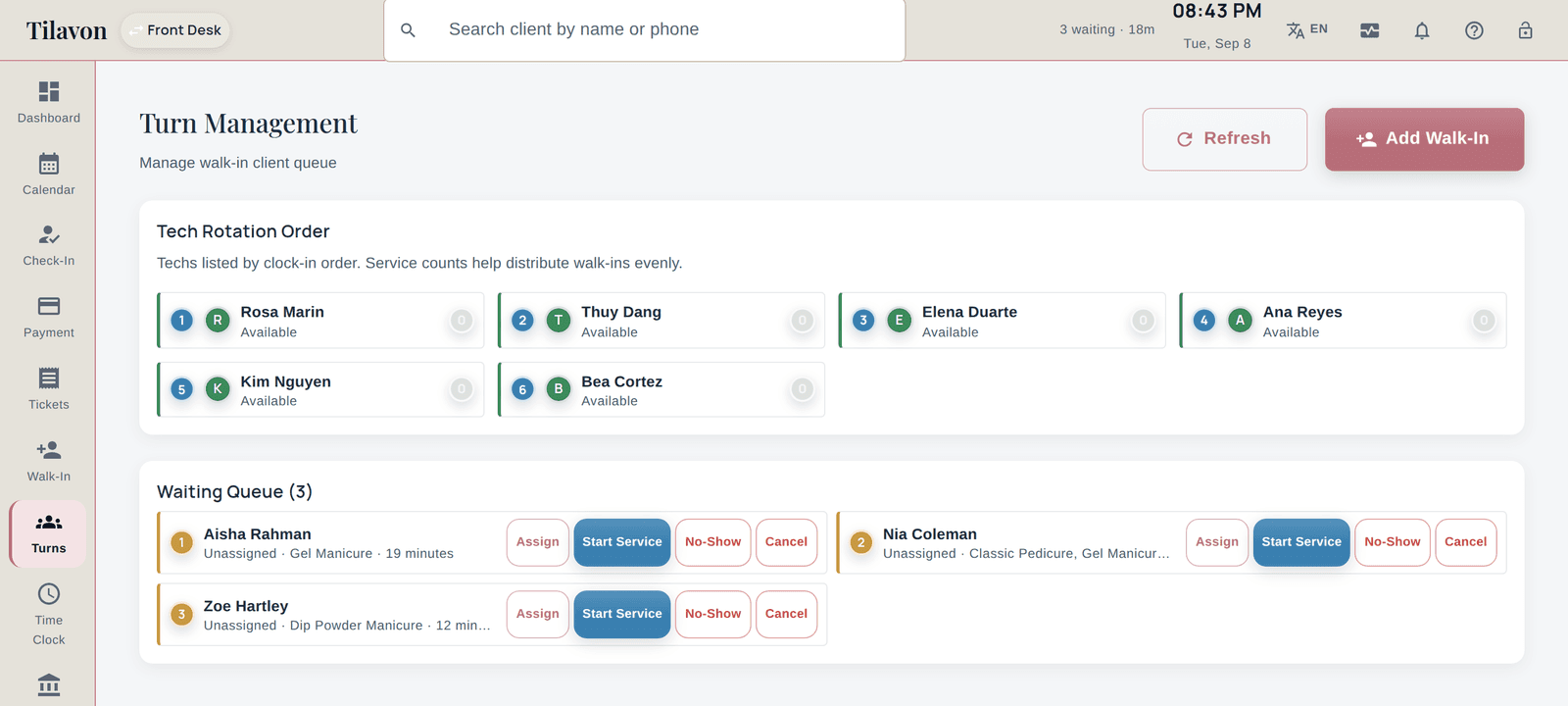
Turn queue software keeps walk-ins fair. It shows which technician is next, who is waiting and for how long, so the front desk is not arguing over turns. Tilavon shows the technician rotation with service counts that help spread walk-ins evenly, next to the waiting queue.
No card. The sandbox never expires. Your first month is free when you go live.
What to look for in turn queue software
A turn system only works if everyone can see it. Check these six things.
- 1
One screen for the floor
The rotation and the waiting list should be on the same screen as today's appointments.
- 2
A visible, fair order
Everyone can see who is next and why, so there is nothing to argue about.
- 3
Waiting times you can read
Each walk-in's wait should be shown, so nobody sits for an hour unseen.
- 4
Clients who want a specific technician
Some clients will wait for their tech. The queue should allow it.
- 5
Self check-in
Walk-ins should be able to add themselves on an iPad or a phone.
- 6
No-shows handled cleanly
Marking a no-show should not break the order for everyone else.
How Tilavon's turn queue works
It is built for walk-in nail salons and sits inside the same system as booking and checkout.
Technician rotation
Technicians are listed by clock-in order, with a count of services done today so walk-ins are spread evenly.
Read moreA waiting queue
Everyone waiting is on one screen with how long they have waited.
Assign or start in a tap
Assign a technician, start the service, mark a no-show or cancel, all from the same row.
Wait for a specific tech
A client can wait for the technician they want.
iPad check-in
Walk-ins check in on the salon's iPad and see their place in line, with a rough wait estimate.
Phone check-in
Walk-ins can add themselves from their phone on the salon's check-in page.
See it with your own technicians
- 1
Make a free sandbox salon
About 7 short screens. No card.
- 2
Add your technicians and a few walk-ins
Watch the rotation and the queue move as you assign them.
- 3
Put it on the front desk
Go live when you are ready. Your first month is free.
What it costs
Early access price: plans start at $25 a month (regular $39). No platform fee and no commission on your clients. You keep your card processor's rate; Tilavon adds nothing on top.
See all plansQuestions owners ask
What is a nail salon turn system?
It is how a salon decides which technician takes the next walk-in, so work and tips are shared fairly. Salons run it on paper, a whiteboard or software. Our guide to the turn system explains the common ways.
How does Tilavon decide who is next?
Technicians are listed in clock-in order, and service counts help spread walk-ins evenly, so the technician who has served the fewest clients today goes first. Anyone on a scheduled break, or already at the salon's limit of clients at once, is left out until they are free.
Can walk-ins check in themselves?
Yes. They can check in on the salon's iPad and see their place in line, or add themselves from their phone on the salon's check-in page.
Does it work with online booking?
Yes. The waiting list and today's appointments are on one front desk screen, so booked clients and walk-ins do not collide.
Can a client wait for a particular technician?
Yes. A walk-in can ask for a specific technician and wait for that technician. The front desk can still assign a different technician at any time.
How much does the turn queue cost?
Tilavon plans start at $39 a month, with no platform fee. The pricing page always shows the current prices.
Make your sandbox salon in about 3 minutes
Free, no card. Try it with sample clients before you decide.
No card. The sandbox never expires. Your first month is free when you go live.