Nail salon booking software that lets clients pick their technician
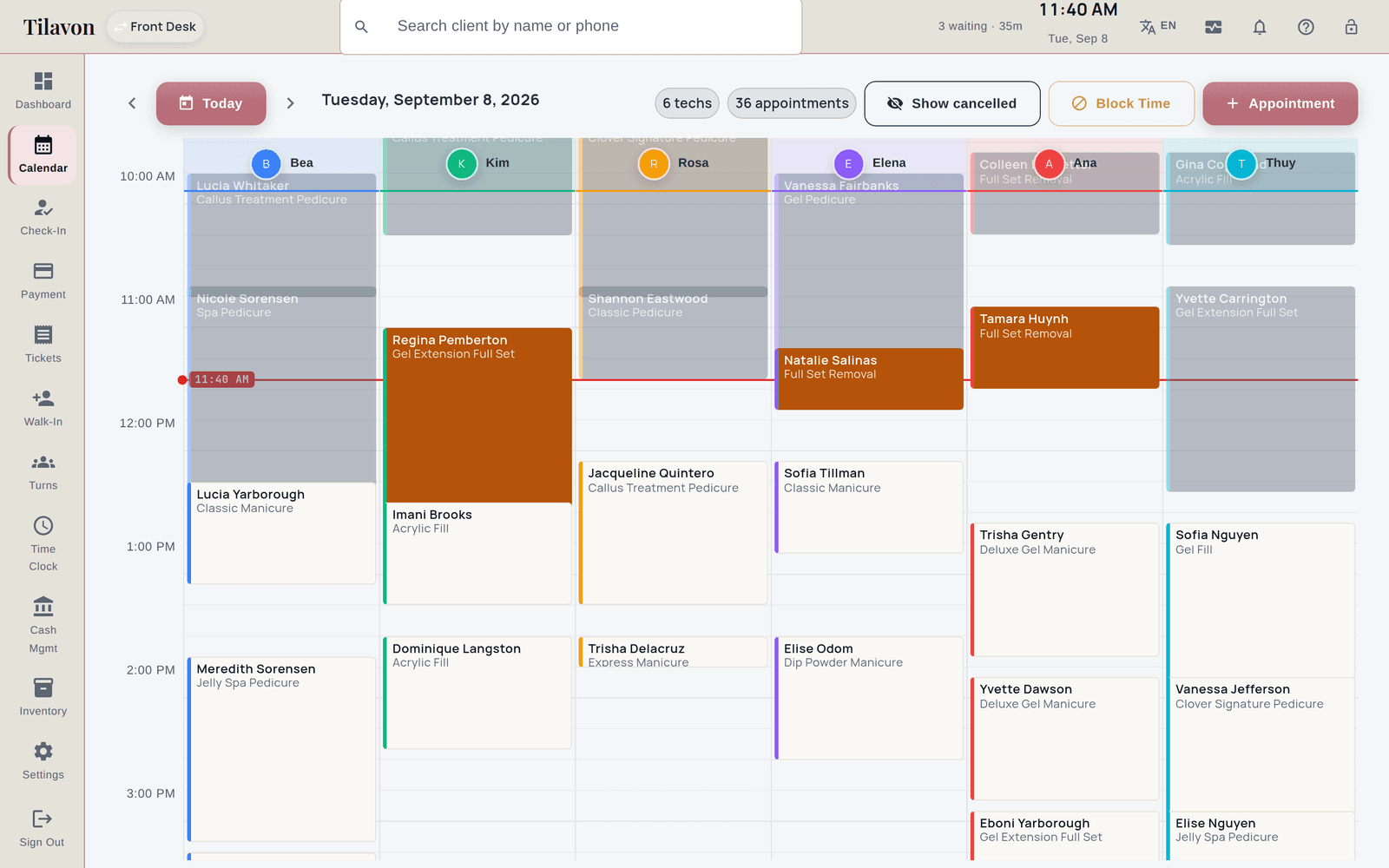
Nail salon booking software lets clients book online, choose the technician they want and add extras like nail art, while you see everything on one calendar next to your walk-ins. Tilavon gives each salon a hosted booking page, a widget for your own website, and booking links for Google and social media.
No card. The sandbox never expires. Your first month is free when you go live.
What to look for in nail salon booking software
Whatever you pick, check these six things first.
- 1
Technician choice
Nail clients often want their own tech. Booking should show who is free and for which services.
- 2
Add-ons while booking
Extras such as nail art should be offered during booking, so they are not a surprise at the desk.
- 3
Walk-ins and bookings on one calendar
If online bookings and walk-ins live in two places, chairs get double booked.
- 4
Booking links you can put anywhere
Your Google Business Profile, Instagram, Facebook and your own website.
- 5
Reminders
Reminders cut no-shows. Ask how many are included in the plan and what extra ones cost.
- 6
Deposits for long appointments
A deposit protects the slots that cost you the most when they no-show.
How Tilavon's online booking works
Online booking and client reminders switch on when you go live. Until then you can try everything with sample clients.
Your own booking page
Every salon gets a booking page at book.tilavon.com with its own code. No website needed.
Read morePick a technician and a time
Clients choose the technician they want and a time that is free for the services they picked.
Add-ons during booking
Offer add-ons and nail art upsells while the client books.
Links for Google and social
Booking links you can add to your Google Business Profile, Instagram and Facebook.
Reminders and deposits
Appointment reminders go out before the visit, and you can ask for an online deposit. Deposits go to your salon through your connected card processor.
From sign-up to a booked chair
- 1
Make a free sandbox salon
About 7 short screens. No card.
- 2
Add your services and technicians
Look at your booking page and try a booking yourself.
- 3
Go live when you are ready
Online booking and reminders switch on. Your first month is free.
What it costs
Early access price: plans start at $25 a month (regular $39). No platform fee and no commission on your clients. You keep your card processor's rate; Tilavon adds nothing on top.
See all plansQuestions owners ask
What is nail salon booking software?
It lets clients book appointments online, pick a technician and add extras, and puts every booking on the salon's calendar. Good ones also handle walk-ins, reminders and deposits in the same place.
Can clients choose their technician?
Yes. Clients pick the technician and a time that is free for the services they chose.
Do I need a website?
No. Tilavon gives you a booking page at book.tilavon.com. If you already have a website, a widget adds booking to it.
Does it handle walk-ins too?
Yes. Walk-ins go on a waiting list that sits next to today's appointments on the front desk screen.
When does online booking start working?
After you go live. In the free sandbox you can try everything with sample clients, but real clients cannot book yet.
How much does it cost?
Tilavon plans start at $39 a month, with no platform fee and no commission on your bookings. The pricing page always shows the current prices.
Make your sandbox salon in about 3 minutes
Free, no card. Try it with sample clients before you decide.
No card. The sandbox never expires. Your first month is free when you go live.