A nail salon POS system built around tickets, tips and technicians
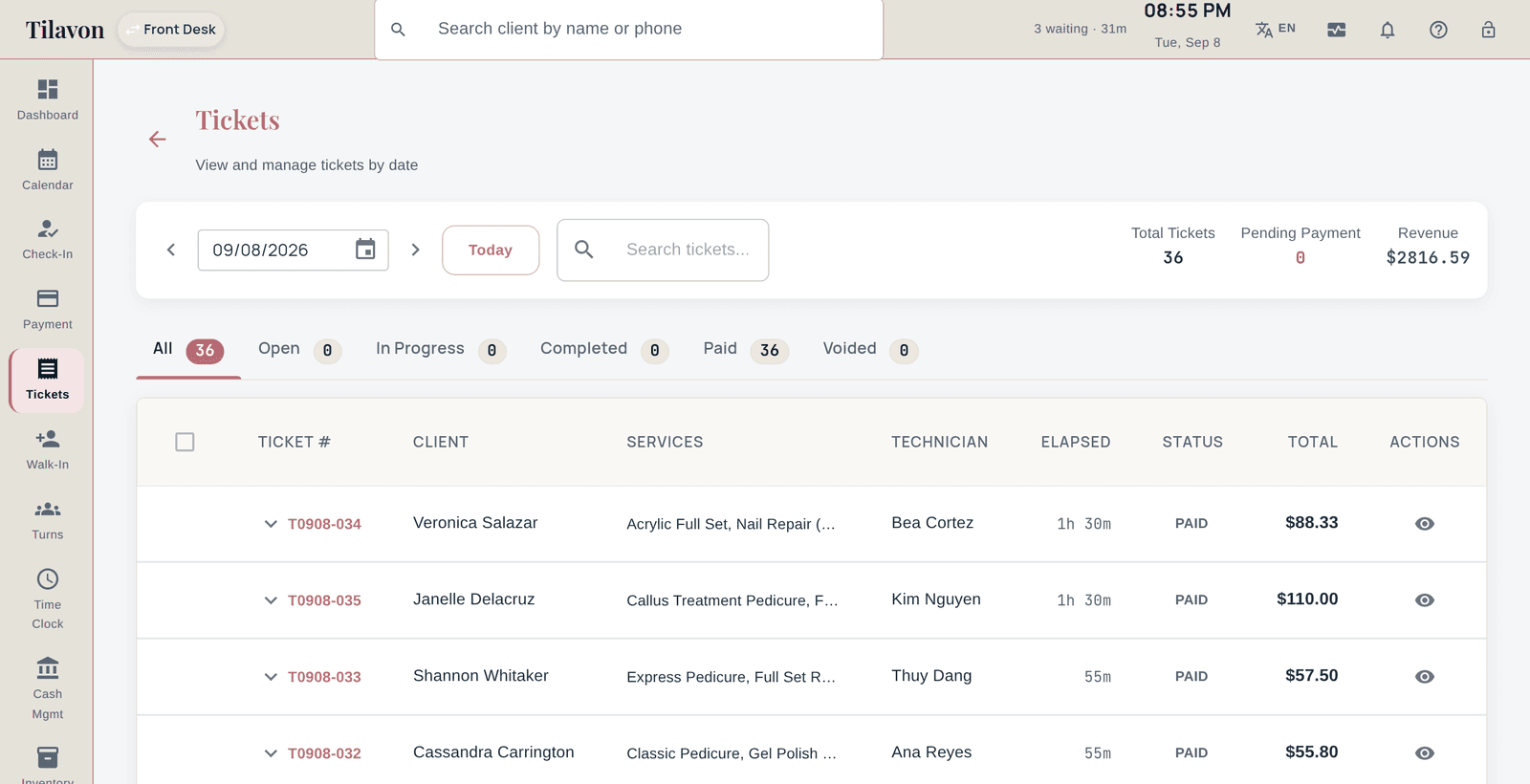
A nail salon POS handles checkout, card and cash payments, tips, split payments and gift cards, and credits each sale to the technician who did the work, so commissions add up on their own. Tilavon's POS does this in the same system as your calendar and walk-in turn queue.
No card. The sandbox never expires. Your first month is free when you go live.
What to look for in a nail salon POS
Whatever you pick, check these six things first.
- 1
Tips that follow the technician
Card tips and cash tips should land on the right tech's payout, not in one pile.
- 2
Split payments
Two friends, two cards, or cash plus card on one ticket should take a few taps.
- 3
Commission by technician
The system should work out each technician's share from the tickets, so payday is not a spreadsheet night.
- 4
Gift cards and packages
A gift card or a prepaid package should be sold and used at the same checkout.
- 5
A cash drawer you can close out
Counts, drops, payouts and a clear variance at the end of the day.
- 6
A card rate you can see
Ask what your card processor charges and whether the software adds anything on top of it.
How Tilavon's POS handles it
All of this runs in the same system as your calendar and walk-in turn queue.
Fast checkout
Pick services and add-ons, apply a discount, take cash or card. Receipts print or go by email.
Read moreSplit payments and tips
Split one ticket across payment methods. Tips are calculated for you, and the client-facing screen shows the cart and a tip selector.
Commission and payouts
Each technician's commission and tips add up automatically, ready for payday.
Read moreGift cards and packages
Sell, check and redeem gift cards at checkout. Packages, bundles and prepaid credits work the same way.
Register closeout
A guided end-of-day wizard for open tickets, cash counts, drops, payouts and variance.
An audit trail
Voids and refunds need manager approval, and drawer differences are logged.
Try it before you pay anything
- 1
Make a free sandbox salon
About 7 short screens. No card.
- 2
Ring up a few sample clients
Try a ticket, a tip, a split payment and a gift card.
- 3
Go live when you are ready
Add a card to go live. Your first month is free.
What it costs
Early access price: plans start at $25 a month (regular $39). No platform fee and no commission on your clients. You keep your card processor's rate; Tilavon adds nothing on top.
See all plansQuestions owners ask
What should a nail salon POS include?
A nail salon POS (point of sale) system handles checkout, payments, tips and service tracking for a nail salon. A good one splits payments, calculates tips, sells gift cards, and credits each sale to the technician who did the work.
What is the best POS for a nail salon?
The best nail salon POS handles what a salon does all day: split payments, tips that follow the technician, commission by technician and a walk-in turn queue. We built Tilavon for nail salons, so we are biased, but those are in one system, with card payments through Stripe or Helcim and online booking on the same account.
Does a nail salon POS need to split commission and tips?
Yes. A salon POS should credit each sale to the technician who did it, with card and cash tips tracked per technician. Tilavon supports percentage, tiered and flat-rate commission, and the totals are a report you can export for payroll.
How much does a nail salon POS cost?
Tilavon plans start at $39 a month for up to 5 employees, with no platform fee and no commission on your clients. Card processing is separate: you pay your card processor's rate and Tilavon adds nothing on top. The pricing page always shows the current prices.
Does it work with cash as well as cards?
Yes. A ticket can be paid in cash, by card or both, and the cash drawer closeout tracks counts, drops, payouts and variance.
Can clients pay with a gift card?
Yes. Gift cards are sold and redeemed at checkout, with balance tracking.
Does the POS include commissions and booking?
Yes. The POS, calendar, walk-in turn queue and commission tracking are one system, so a sale is already tied to the technician and the appointment.
Can I try the POS without paying?
Yes. The free sandbox salon needs no card and never expires. Your first month is free when you go live.
Make your sandbox salon in about 3 minutes
Free, no card. Try it with sample clients before you decide.
No card. The sandbox never expires. Your first month is free when you go live.