Best Nail Salon POS Systems in 2026
A comprehensive buyer's guide comparing the top point-of-sale systems designed for nail salons. We break down pricing, features, processing fees, and what actually matters for your business.
By Tilavon Team · March 10, 2026 · 12 min read
Why Your POS Choice Matters More Than You Think
Your point-of-sale system touches every part of your nail salon business. It processes payments, tracks which technician performed each service, calculates commissions and tips, manages your appointment book, and generates the reports you need to make smart decisions.
According to the Professional Beauty Association, the average nail salon processes over 150 transactions per week. At 2.6% flat-rate processing versus 1.8% interchange-plus, that difference adds up to $2,000-$5,000 per year in unnecessary fees for a typical salon doing $300,000 in annual card revenue.
Beyond cost, the wrong POS creates daily friction. If your system can't track walk-in turns, your front desk scrambles with pen and paper. If it lacks commission tracking, your bookkeeper spends hours on payroll. If it's English-only, your Vietnamese-speaking staff can't use it independently.
What to Look For in a Nail Salon POS
Before comparing specific systems, know which features actually matter for nail salons versus generic retail or restaurant businesses:
Payment Processing
Interchange-plus pricing saves significantly over flat-rate models. Look for support for tips, split payments, and deposits.
Commission & Tip Tracking
Per-technician commission tracking, tip pooling, and payroll export are essential for multi-tech salons.
Walk-in Management
A digital turn system eliminates paper lists and ensures fair rotation among technicians.
Total Cost of Ownership
Factor in monthly fees, processing rates, hardware costs, and per-user charges. The cheapest plan isn't always the best deal.
Other important considerations include online booking integration, inventory management for polishes and supplies, multilingual support, and whether the system offers an AI receptionist for after-hours calls.
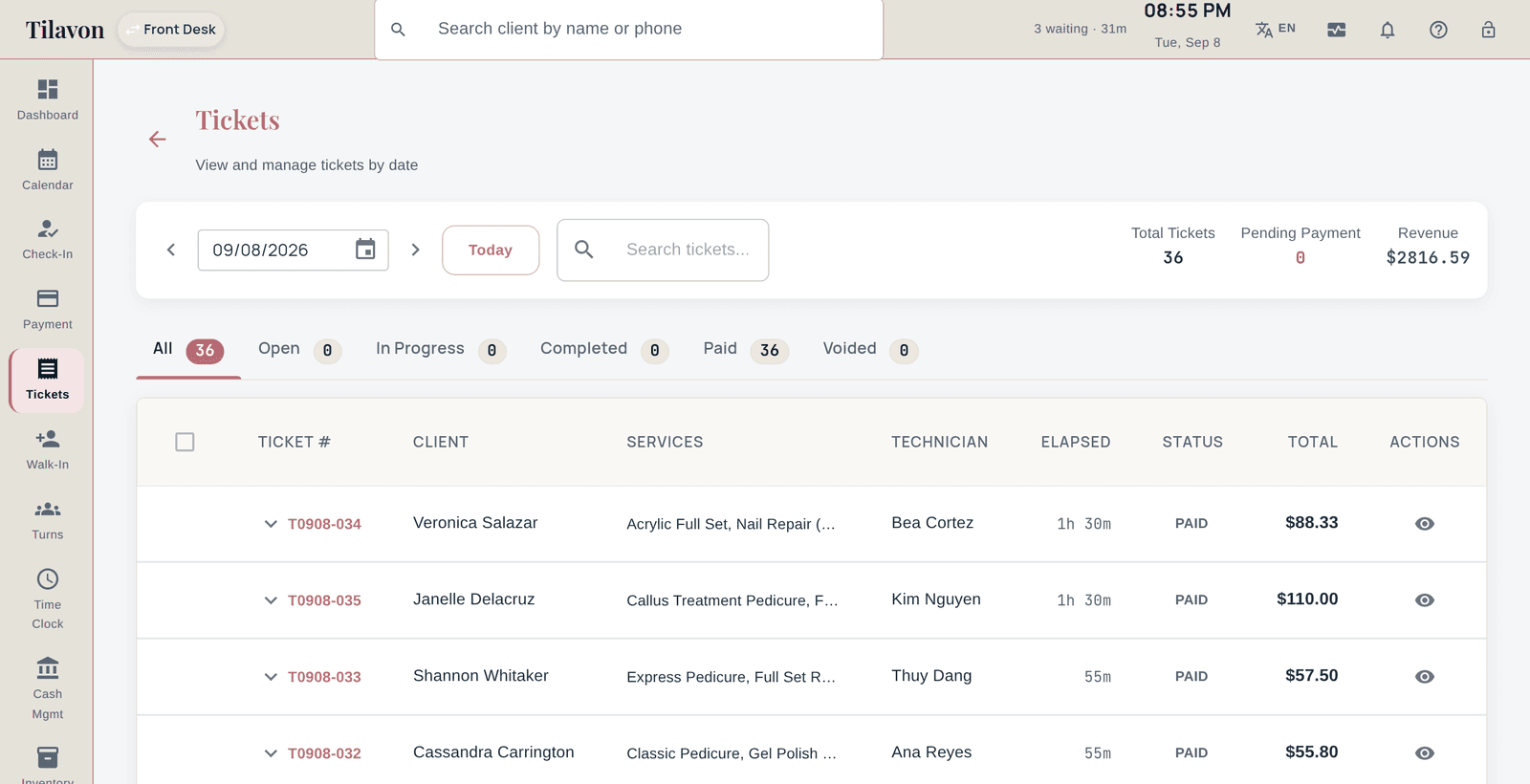
Nail Salon POS Systems Compared
We evaluated each system on salon-specific features, pricing, processing fees, and ease of use.
Tilavon
Best for nail salon-specific needs
From $39/mo
Processing: ~1.8% interchange-plus
Pros
- Built specifically for nail salons
- Walk-in turn queue management
- Commission tracking per technician
- Vietnamese, Spanish, Chinese, English UI
- No markup on payment processing
- AI receptionist add-on available
Cons
- Newer to the market (launched 2025)
- Smaller user community compared to Square
NailSoft
Best known in the nail-salon market
From $99.95/mo (Premium Unlimited $149.95-$249.95)
Processing: Not published
Pros
- Built for nail salons, not adapted from hair
- Publishes its pricing, which most of this list does not
- Check-in, payroll and SMS marketing included
- Marketing services sold alongside the software
Cons
- Entry plan is roughly 2.5x ours
- Processing rates are not published, so the real monthly cost is hard to compare
- Top plan reaches $249.95/mo
Mango POS
Closest feature match for turn-based salons
From $49/mo, plus a $149-$249 setup fee and a 3-month minimum
Processing: Not published
Pros
- Divides technician turns, which generic POS systems do not
- Tip sharing, commission and payroll built in
- Long-established in nail salons
Cons
- One-time setup fee of $149-$249 on top of the monthly
- Three-month minimum commitment, where we are month to month
- SMS is not included on the entry plan
- No published processing rates
Zenoti
Best for multi-location chains
No published price - reported $225-$400 per location
Processing: Not published
Pros
- Built for scale, used by large multi-location groups
- Deep reporting and enterprise features
Cons
- Priced per location and per employee, so cost grows with the salon
- No public price list; the range above is third-party reporting, not their figure
- Heavier than a single salon needs
Square
Best free basic option
Free basic / $60+/mo for Plus
Processing: 2.6% + 10 cents flat
Pros
- Free basic POS plan
- Large third-party app ecosystem
- Well-known and trusted brand
- Square Online store included
Cons
- No salon-specific commission tracking
- No walk-in turn queue management
- Higher processing fees (flat-rate model)
- English-only interface
- Appointment module costs extra ($0-$69/mo per staff)
Vagaro
Best marketplace & online booking
From $30/mo (per user pricing)
Processing: 2.75% flat rate
Pros
- Strong online booking marketplace
- Client reviews and discovery
- Marketing tools included
- Payroll add-on available
Cons
- Per-user pricing adds up fast with larger teams
- Highest flat-rate processing at 2.75%
- English-only interface
- No dedicated walk-in queue feature
Clover
Best hardware variety
$14.95+/mo (hardware extra)
Processing: 2.3-2.6% + 10 cents
Pros
- Wide range of hardware options
- Third-party app marketplace
- Offline payment capability
- Customer engagement tools
Cons
- Not salon-specific at all
- Expensive hardware upfront ($499-$1,799)
- Contract lock-in with many resellers
- Salon features require third-party apps
Fresha
Best for booking-only salons
Free (revenue share model)
Processing: 2.19% + 20 cents card / fees on new clients
Pros
- No monthly subscription fee
- Solid online booking system
- Client marketplace for discovery
- Automated marketing features
Cons
- Charges per new client acquired ($6/new client from marketplace)
- Limited POS customization
- No walk-in management
- English-only, limited multilingual
Processing Fees: The Hidden Cost Nobody Talks About
Payment processing fees are the single biggest variable cost for most nail salons. Here is how the math works on $300,000 in annual card revenue:
| System | Rate Model | Effective Rate | Annual Cost |
|---|---|---|---|
| Tilavon (Helcim) | Interchange-plus | ~1.8% | ~$5,400 |
| Clover | Interchange-plus/flat | ~2.3-2.6% | ~$6,900-$7,800 |
| Square | Flat rate | 2.6% + 10c | ~$8,100 |
| Vagaro | Flat rate | 2.75% | ~$8,250 |
| Fresha | Flat rate + per-client fees | 2.19% + new client fees | Varies widely |
The difference between the cheapest and most expensive processing is nearly $3,000 per year. Over a 5-year period, that is $15,000 in savings just on processing fees alone. Check our fee calculator to estimate your potential savings.
The Verdict: Which POS Is Right for You?
Choose Tilavon if you want a system built from the ground up for nail salons. It offers the best combination of salon-specific features (commission tracking, walk-in queue, multilingual UI) and the lowest processing fees through interchange-plus pricing. It is ideal for Vietnamese-owned salons that need a Vietnamese-language interface.
Choose Square if you are a solo nail tech or very small operation that needs a free starting point and don't mind higher processing fees. Upgrade to a salon-specific system as you grow.
Choose Vagaro if online booking marketplace visibility is your top priority and you primarily run on appointments rather than walk-ins.
Choose Clover if you want the widest variety of hardware options and don't mind piecing together salon features through third-party apps.
Choose Fresha if you want zero monthly fees and are comfortable with a per-new-client fee model that works best for salons with high repeat client rates.
Which POS Suits Your Salon Size
One or two technicians
At this size the cost of the software matters more than the depth of it. A general-purpose system handles a small book perfectly well, and the salon-specific features you are paying extra for — commission splits, turn rotation, multi-technician tickets — are solving problems you do not have yet. Choose on monthly price and how quickly you can ring someone up, and revisit the decision when you hire a third person.
Three to eight technicians
This is where generic systems start costing real money in admin time. Commission has to be calculated per technician, tips have to be split when two people work on one client, and somebody has to decide who takes the next walk-in. A salon-specific system earns its price here, and the thing to test during a trial is a busy Saturday rather than a quiet Tuesday.
Nine or more, or more than one location
Reporting becomes the deciding factor. You need to compare technicians and locations against each other, see where product is going, and close out a day without reconciling by hand. Ask specifically how a system handles staff who work across two locations and whether reports can be run for one site or all of them — that is where otherwise capable systems tend to stop.
Five Mistakes Salons Make When Choosing a POS
Comparing monthly price without the processing rate
A salon turning over $40,000 a month pays roughly $1,000 in card processing. Half a percentage point of difference is $200 a month, which dwarfs the gap between most subscription tiers. Compare the two together or the comparison is meaningless.
Trialling on a quiet day
Every POS feels fine with four appointments. The differences appear when six people are waiting, two technicians are mid-service on the same client, and someone wants to split a payment across two cards. Run the trial on your busiest afternoon or you have not tested anything.
Assuming your client list will move across
Ask how you get your clients out before you ask how you get them in. Some systems export a clean file; others export names and phone numbers with the visit history left behind. Find out what the export contains while you are still a prospect, because the answer changes once you are a customer.
Buying hardware before choosing software
Terminals are usually tied to a processor, and a processor is often tied to the software. Buying a reader first quietly narrows the software you can choose, and the money is rarely recoverable. Decide the software, then let it tell you what hardware it works with.
Ignoring the people who will actually use it
The owner chooses the system; the front desk uses it forty hours a week. If checkout takes three extra taps, that is a few hundred extra taps a week and it will be worked around rather than used. Have whoever runs the desk ring up a few tickets during the trial and listen to what they say afterwards.
Frequently Asked Questions
What is the best POS system for nail salons in 2026?
Tilavon is the best POS built specifically for nail salons, with features like commission tracking, walk-in queue management, Vietnamese language support, and interchange-plus processing starting at $39/month. Square and Vagaro are solid alternatives for simpler needs.
How much does a nail salon POS system cost?
Monthly fees range from free (Square basic) to $129+/month. Tilavon starts at $39/month. Always factor in processing fees, which vary from 1.8% (interchange-plus) to 2.75% (flat rate) and can cost more annually than the subscription itself.
Can I use Square for my nail salon?
Yes, but Square lacks salon-specific features like commission tracking, walk-in turn management, and multilingual support. Its 2.6% + 10 cent flat-rate processing is also more expensive than interchange-plus alternatives.
What features should a nail salon POS have?
Essential features: fast checkout with tip calculation, split payments, commission tracking, appointment scheduling, walk-in queue management, client records, inventory tracking, and reporting. Nice-to-haves: online booking, loyalty programs, gift cards, and multilingual support.
Is Vagaro good for nail salons?
Vagaro is a solid mid-range option with strong online booking. However, per-user pricing ($30+/user/month) gets expensive with larger teams, and its 2.75% processing rate is the highest among major options.